
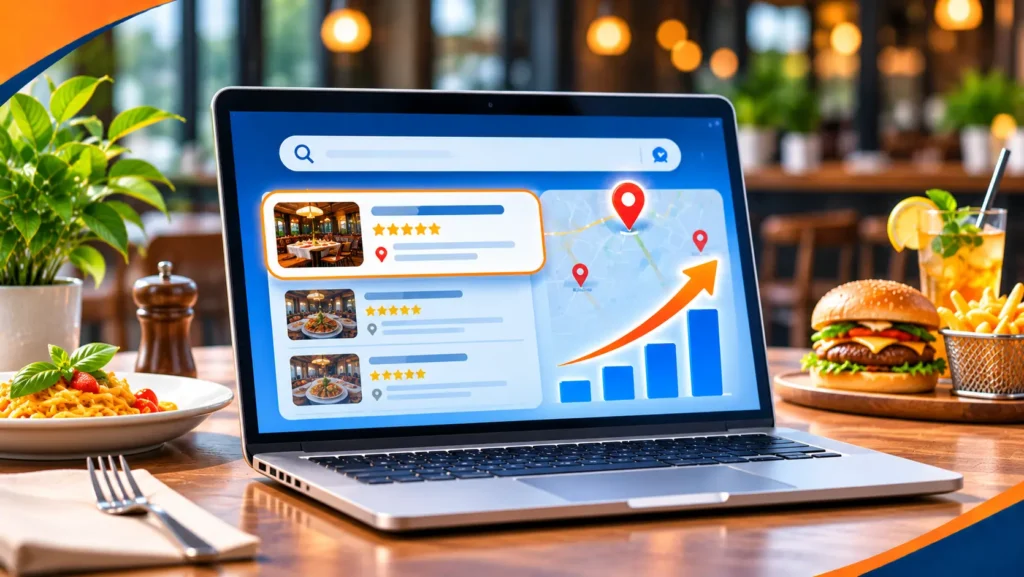
Restaurant SEO is the work of making your restaurant easy to find when people search for somewhere to eat. It covers your Google Business Profile, your website, your menu, your reviews and your local presence, so that you appear when someone nearby searches for a type of food, a restaurant name or “restaurants near me”.
This guide explains how diners search, what to set up first, how to build a website that helps, how to use menu markup, how to handle reviews and how to measure results. It uses Google’s own documentation and does not quote benchmarks, because they vary too much between restaurants and cities to be useful.
For most restaurants, local search starts with a complete and accurate Google Business Profile, then a simple website with your menu as text, your hours and an easy way to book or order, then steady reviews and consistent details across the web. Google says local results are based mainly on relevance, distance and prominence, and that there is no way to request or pay for a better local ranking, so the work is to make your information complete, accurate and well supported by what customers say.
Table of contents
- What restaurant SEO is
- How diners search
- Your Google Business Profile
- Your website
- Words and page titles
- Menu and restaurant markup
- Reviews
- Content and local links
- Restaurants with several locations
- Delivery apps and your own channel
- How to measure it
- A worked example
- Common mistakes
- Restaurant SEO FAQ
- Where to start
What restaurant SEO is
Restaurant SEO is a form of local SEO. The person searching wants a table, a takeaway or a delivery, and they want it soon. They usually choose from what the map and the first few results show, so your goal is to appear there with accurate information and good reasons to pick you.
If local SEO is new to you, our guide to what local SEO is explains the basics. This guide adds what is specific to restaurants.
How diners search
Searches for restaurants come in different forms, and each needs something different from you.
| Search type | Example | What the diner wants | What helps you appear |
|---|---|---|---|
| Near me | restaurants near me | A good option close by, open now | Complete profile, correct hours, reviews |
| Cuisine and place | italian restaurant in [neighborhood] | The right food in the right area | Correct categories, a menu page, local detail |
| A dish | best vegan ramen | Where to find a specific dish | Menu text and photos of the dish |
| A named restaurant | [your restaurant] menu | The menu, hours or a booking | A clear menu page and booking link |
| Occasion | restaurants for a birthday dinner | A fit for the event | A page for groups, events or private dining |
Your Google Business Profile
For most restaurants, the profile does more work than the website. Google’s page on Business Profile for restaurants says restaurants can add a menu and photos, take reservations through Reserve with Google, offer online ordering through partners, show hours and dining options, respond to reviews and post offers.
Google’s Business Profile guidelines set rules that matter for restaurants.
- Use your real name. The name should reflect your real-world name. Extra words can lead to suspension.
- Show dining hours. The guidelines say to use the hours when diners can sit down and dine.
- Do not link the menu to a delivery app. Menu URLs cannot be direct links to third-party ordering or delivery services.
- Hide the address if you are delivery only. Delivery-only brands must add their service areas and hide the address.
- Give an in-hotel restaurant its own profile. A restaurant, cafe or bar inside a hotel should have its own.
- No virtual offices. A rented mailing address where you do not operate is not eligible.
What to fill in
Choose the right primary category, add a short description, upload clear photos of the room, the food and the entrance, add the full menu and set special hours for holidays. Keep it up to date, because an old closing time loses a diner faster than anything else.
Your website
A restaurant website has to work on a phone, in a hurry. The visitor is often standing in the street. These are the parts that matter most.
- A menu as text on a page. Text is easier to read on a small screen than a photo or a document, and it lets people find a dish by name. Show prices if you can, and keep it current.
- Hours, address and a tap to call. Put them near the top, and on every page.
- A clear way to book or order. Link to your booking system or your own ordering page.
- Photos that show the place. Use real photos of the room and the food.
- A page for each location. Each branch needs its own address, hours and menu notes.
- Speed. Google’s guidance on web vitals says pages should have a Largest Contentful Paint of 2.5 seconds or less, an Interaction to Next Paint of 200 milliseconds or less and a Cumulative Layout Shift of 0.1 or less. Large photos are the usual cause of slow restaurant pages, so compress them.
Words and page titles
Search engines read your page titles, headings and text to understand what you offer and where. Write them the way a diner would say it, and be specific.
- Home page. Say what you are and where, for example “Neapolitan pizza restaurant in [neighborhood]”, not just your name.
- Menu page. Use the names of dishes and the type of cuisine, with the headings your menu already has.
- Location pages. Include the street and area, and mention nearby landmarks only where they help a visitor find you.
- Special pages. Name them for what the diner searches, such as “private dining” or “Sunday brunch”.
Do not repeat the same phrase again and again. Write for the person who is hungry, and the search engine will follow.
Menu and restaurant markup
Structured data is code that describes your page to search engines. Google’s guidance on local business structured data says to use the most specific LocalBusiness type, and lists name and address as required. For restaurants it recommends details such as the type of cuisine, the full URL of the menu, the price range, opening hours, ratings and reviews.
The values must match what is on the page. If your hours or menu change, update both. Ask your developer or website provider to add this, and test it before you publish.
Reviews
Reviews help diners decide and help your prominence. Google says more reviews and positive ratings can improve your local ranking.
- Ask at the right moment. A card or a text link with the bill works better than a poster.
- Reply to every review. Thank people for good ones, and answer poor ones calmly and briefly.
- Never buy reviews or write your own. It breaks the rules and damages trust.
- Use what you learn. If many guests mention slow service, fix it.
Keep your name, address and phone number the same on every directory. Our guide to citation SEO explains how.
Content and local links
You do not need a large blog. A few useful pages and some local mentions go a long way.
- Seasonal and special menus. A page for a Christmas menu or a lunch set menu can be found in its own right.
- Private dining and events. People search for these separately from a normal table.
- Dietary information. Vegan, vegetarian and allergy details are common searches, so say clearly what you offer.
- Your story. A short page about the chef, the suppliers and the neighborhood builds trust.
- Local mentions. Local food writers, suppliers, community groups and event listings can link to you.
Photos and video
Diners judge a restaurant by how the food looks. Use real photos of your dishes, taken in good light, and add short videos of the kitchen or the room if you can keep them up to date. Give each image a plain description in the page, so people using screen readers and search engines can tell what it shows.
Restaurants with several locations
Each location needs its own profile, its own page and its own hours, including holidays. Do not copy the same text for every branch. Add what is different: the street, the menu notes and photos of that room. Our guide to franchise digital marketing covers how to manage this at scale.
Delivery apps and your own channel
Delivery and booking platforms bring diners, and many restaurants rely on them. The trade-off is that the platform owns the relationship. Where you can, point regular customers to your own ordering or booking page, and keep your own email or phone list with the guest’s consent. Your profile can list ordering partners, but the guidelines say your menu link should not go straight to one.
How to measure it
Start with what Google gives you for free. Google’s performance help says verified profiles show how many people viewed the profile, called, asked for directions and clicked the website link.
- Profile activity. Calls, direction requests, website clicks and bookings.
- Search Console. Which searches bring people to your site pages.
- Your own records. Count bookings and ask new guests how they found you.
Look at the trend over months, not days. Our guide to SEO analytics explains how to set it up.
A worked example
This is a made up example, used to show the method. It is not a client result, and the numbers are not real.
Imagine a neighborhood Italian restaurant with a half finished profile, a menu photo on its website and no reply to any review.
| Item | Before (example) | After (example) |
|---|---|---|
| Profile | Wrong closing time, three photos | Correct hours, a full menu and recent photos |
| Website menu | A photo of a printed menu | Menu as text, with prices and dietary notes |
| Booking | Phone only | A booking link on the profile and the site |
| Reviews | None answered | A card with the bill, and a reply to each review |
None of this is clever. It makes the restaurant easier to find and easier to choose.
Common mistakes
- Old hours. Check them every holiday.
- A menu that is only an image. It is hard to read on a phone and hard to find.
- A menu link to a delivery app. Google does not allow it.
- Ignoring reviews. Silence looks careless.
- Different details on each directory. It confuses diners and search engines.
- Slow pages full of large photos. Diners leave before the page loads.
Restaurant SEO FAQ
Does SEO work for restaurants?
Yes, for restaurants that diners find through search and maps. A good profile, a useful website and steady reviews help you appear for nearby searches. Results take time, and no one can guarantee a ranking.
What does SEO stand for?
Search engine optimization: the work of helping your pages and profile appear when people search.
What is the 30/30/30 rule for restaurants?
It is a restaurant budgeting rule of thumb, not an SEO term, and sources differ on what it means, so we do not use it here.
How much does SEO usually cost?
It depends on your area, your competition and the work needed. You can do much of the basics yourself with time. Our published small business plans start at $449 a month, and you can see what each includes on our small business SEO page.
Do I need a website if I have a Google Business Profile?
Yes, for most restaurants. The profile brings people in, but your website holds your full menu, your story and your booking link, and it gives you something you own.
What are the best keywords for a restaurant?
The best ones are what your own diners type: your cuisine, your neighborhood, a signature dish and the occasion, such as brunch or a birthday dinner. Look at your Search Console queries and at the questions guests ask, and use those words in your titles and headings.
Should I put my menu in a PDF?
It is better to show the menu as text on a page, and offer a PDF as an extra for printing. Text is easier to read on a phone and easier for search engines to understand.
How long does restaurant SEO take?
Some fixes, such as correcting your hours or adding photos, can show quickly. Others take longer. Google’s SEO Starter Guide says changes can take anywhere from a few hours to several months to show, so judge the trend over time.
Where to start
Open your Google Business Profile today. Check your hours for the next holiday, add the full menu, upload five recent photos and reply to your last ten reviews. Then make sure your website shows the same hours and a menu as text. That is a solid first month. After that, set a reminder to review your hours, menu and photos each season. Hotels can read our guide to hotel SEO.
If you want a second opinion, Torplix offers a free audit of your profile and website, with a written list of fixes in priority order. It is yours to keep whether or not you work with us. We are a small agency and we have no restaurant case studies to show, and we do not promise rankings. See our guide to local SEO services and our guide to SEO for how we work.